
Beer receipt scanning transforms chaotic spreadsheets and guesswork into reliable, real-time brewery inventory data. By photographing supplier receipts with a smartphone and using optical character recognition (OCR) software like Tab Tender breweries can automatically capture ingredient quantities, costs, and delivery dates in seconds rather than the 15-20 minutes manual entry typically requires per invoice. The method works particularly well for craft operations receiving multiple daily deliveries of malt, hops, yeast, and packaging materials, where traditional pen-and-paper tracking creates dangerous blind spots in production planning.
Most small to mid-sized breweries lose 3-7% of ingredient value annually to miscounts, expired stock, and reorder mistakes. Receipt scanning closes that gap by creating an auditable digital trail from delivery dock to fermenter. The process integrates naturally into existing workflows because someone already signs for deliveries and files the paperwork. Instead of tossing receipts into a folder for weekend data entry (which rarely happens), staff snap a quick photo and the system extracts line items, updates stock levels, and flags unusual pricing or quantity discrepancies.
This guide walks through the practical steps breweries are using in 2026 to implement receipt scanning without disrupting production schedules or requiring expensive hardware. You’ll learn which tools handle brewery-specific challenges like varied unit measurements (pounds, kilograms, barrels), how to train your team in under an hour, and verification techniques that catch OCR errors before they compound into costly inventory mistakes.
Why Receipt Scanning Matters for Craft Breweries
Craft breweries face a particular inventory puzzle that’s grown more complex as the industry has matured. You’re juggling dozens of malt varieties, hop cultivars from multiple harvests, yeast strains with specific handling requirements, and an ever-expanding collection of adjuncts that make your beers unique. Each ingredient arrives with its own receipt, often handwritten or printed on thermal paper that fades within months. When you’re manually entering this information into spreadsheets between mash-in and boil, errors creep in. A transposed number here, a forgotten delivery there, and suddenly your batch costing is off by enough to matter.
The stakes have changed in 2026. With shifting consumer preferences reflected in recent beer sales statistics breweries need precise cost data to price competitively while maintaining quality. Traditional manual entry consumes hours each week that your team could spend refining recipes, maintaining equipment, or connecting with customers in your taproom. More critically, when you can’t trace which lot of malt went into which batch, you’re vulnerable during quality investigations or potential recalls.
Vendor relationships depend on accurate records too. When you can instantly reference past pricing, delivery dates, and order quantities, you negotiate from a position of knowledge rather than memory. Manual systems make it nearly impossible to spot gradual price increases or identify your most reliable suppliers when it’s time to scale up production. The craft brewing community thrives on transparency and authenticity, values that start with knowing exactly what goes into your beer and what it costs to produce.
Tools and Materials You’ll Need
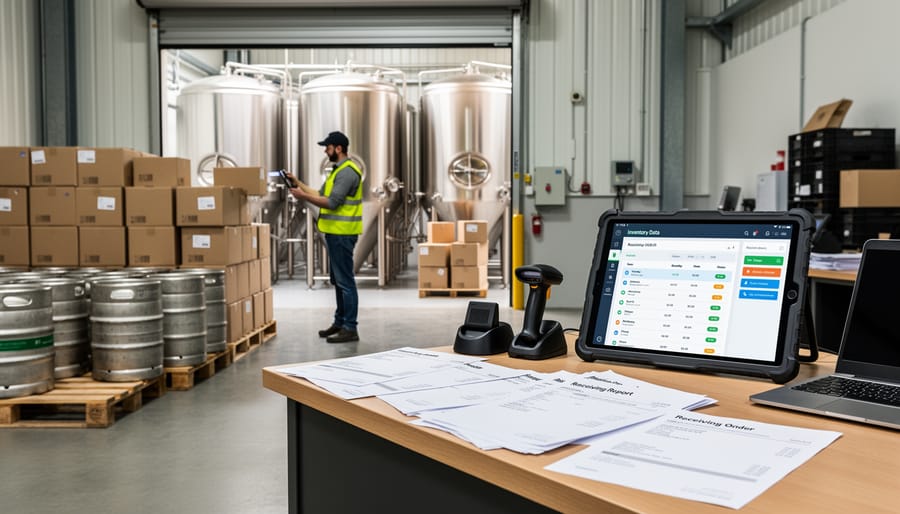
Hardware Options for Every Brewery Size
Your phone probably already has everything a nano-brewery needs to start scanning receipts. Modern smartphone cameras capture high-resolution images that receipt scanning apps can process instantly. For operations brewing fewer than three barrels per batch, free or low-cost apps like Adobe Scan or Microsoft Lens handle most receipt capture needs without additional hardware investment.
Mid-sized breweries producing 500 to 3,000 barrels annually often benefit from dedicated document scanners. A desktop scanner in your office area speeds up batch processing when you return from ingredient runs with a stack of vendor receipts. Models in the $150-$400 range from Fujitsu or Brother include automatic document feeders that scan multiple receipts in one session.
Production facilities managing hundreds of monthly transactions may justify portable Bluetooth scanners (around $300-$600) that pair with tablets. These let receiving staff scan receipts immediately at the loading dock, assigning deliveries to inventory categories before boxes even reach the walk-in cooler. The real-time capture prevents the “pile of receipts on the desk” problem that haunts end-of-month reconciliation.
Software Platforms That Speak Brewery
Not all inventory software understands the difference between a sack of Pilsner malt and a pound of Citra hops, but brewery-focused platforms do. These specialized systems recognize that you’re tracking perishable ingredients with lot numbers, finished goods moving through different stages of conditioning, and packaging materials that arrive by the pallet but disappear by the case.
Look for platforms that integrate directly with brewing software like Ekos, BrewPlanner, or Orchestrated Beer. This connection means your recipe formulations automatically pull current ingredient costs from your scanned receipts, giving you real-time batch profitability without manual spreadsheet gymnastics. The best systems handle traceability requirements, letting you track which bags of base malt went into which fermentation tank and when those cans hit distribution.
Features like automated reorder alerts based on brewing schedules, vendor price comparison across multiple receipts, and TTB-compliant reporting transform scanning from a digital filing task into genuine business intelligence. Many platforms now include mobile apps that scan receipts directly into your brewery account, eliminating the computer-tethered workflow that slows down receiving processes when deliveries arrive during packaging runs.
Setting Up Your Receipt Scanning System
Before you scan your first receipt, take the time to build the framework that will keep your brewery’s inventory organized for years to come. The twenty minutes you spend setting up categories and naming conventions now will save you hundreds of hours down the road.
Start by creating a category structure that mirrors how you actually work in the brewery. Your top-level categories might include Base Malts, Specialty Grains, Hops, Yeast & Bacteria, Adjuncts & Sugars, Packaging Materials, Cleaning & Sanitation, and General Supplies. Within each category, create subcategories that match your brewing process. For hops, you might subdivide by variety (Cascade, Citra, Mosaic) or use (bittering, aroma, dry hop). The goal is intuitive organization that any team member can understand at a glance.
Establish clear naming conventions for items. Decide whether you’ll use “2-Row Pale Malt” or “Pale Ale Malt, 2-Row” and stick with it. Include relevant details like vendor-specific product codes if you source the same ingredient from multiple suppliers. Consistency here makes searching and reporting exponentially easier.
Set up vendor profiles before you begin scanning. Enter your regular suppliers with complete contact information, account numbers, and any special terms. This ensures that when the scanning software extracts a vendor name, it can match it to the correct profile rather than creating a new entry for “ABC Malt Co” and “ABC Malt Company” as if they were different businesses. Most platforms let you add vendor-specific item mappings, so that “Briess 2-Row” automatically assigns to your “Base Malts > 2-Row Pale” category without manual selection every time.
Step-by-Step Receipt Scanning Process
Step 1: Capturing the Receipt Image
The difference between a cleanly scanned receipt and a frustrating OCR failure often comes down to a few seconds of care when you capture the image. Start by laying the receipt flat on a dark, contrasting surface, your brewery’s stainless steel countertop works perfectly. Natural light from a window beats overhead fluorescents, which create glare and shadows that confuse scanning software.
Hold your phone directly above the receipt, parallel to the surface rather than at an angle. The entire document should fill most of the frame without cutting off edges where item numbers or totals might hide. Modern smartphone cameras handle this well at arm’s length. If you’re using a dedicated scanner, ensure the glass is clean, hop resin and grain dust are surprisingly common culprits for scan quality issues.
For crumpled or thermal receipts that are already fading, gently flatten them and scan immediately. Those flimsy register tapes from your local homebrew shop won’t last forever, and waiting even a week can render some details unreadable.
Step 2: Reviewing Extracted Data
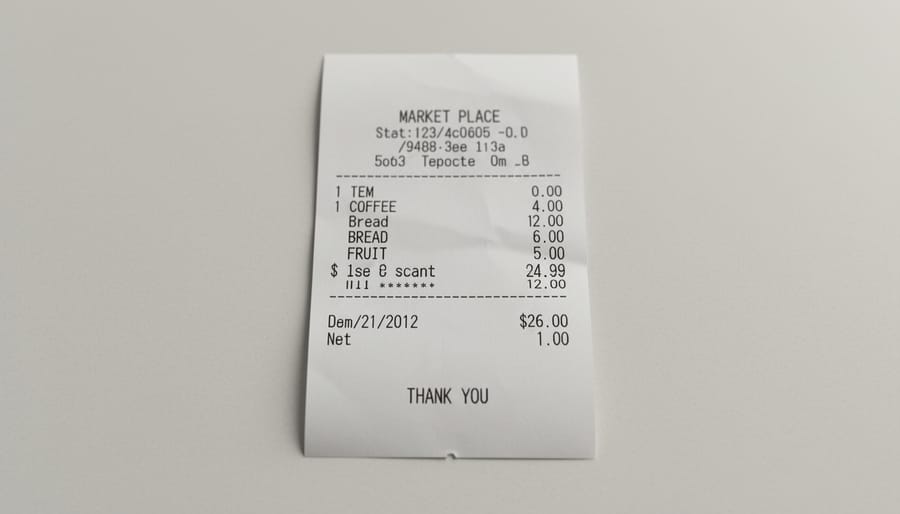
After your scanning software processes the receipt image, you’ll see extracted data in fields like vendor name, date, item descriptions, quantities, and prices. Don’t trust it blindly, OCR technology trips up on brewery receipts regularly.
Check the vendor name first. Software often mangles specialty suppliers into generic variations, turning “Country Malt Group” into “Country Mall Group” or similar nonsense. Verify the date matches what’s printed, especially around month-end when invoices can blur together.
Item descriptions cause the most headaches. “Pilsen Malt” might become “Pilsen Mall” or “2-Row Pale” could read “Z-Row Pale.” Numeric confusion runs rampant: “50 lbs” becomes “SO lbs,” and prices like “$1,234.56” can scan as “$l,Z34.56” if the receipt print quality is poor.
Quantities deserve extra scrutiny since they directly impact inventory counts. A missed decimal point, reading 2.5 pounds as 25 pounds, throws off batch costing and reorder calculations for weeks.
Scan through the entire receipt line by line before accepting the data. It takes thirty seconds now versus hours of reconciliation headaches later.
Step 3: Item Assignment and Categorization
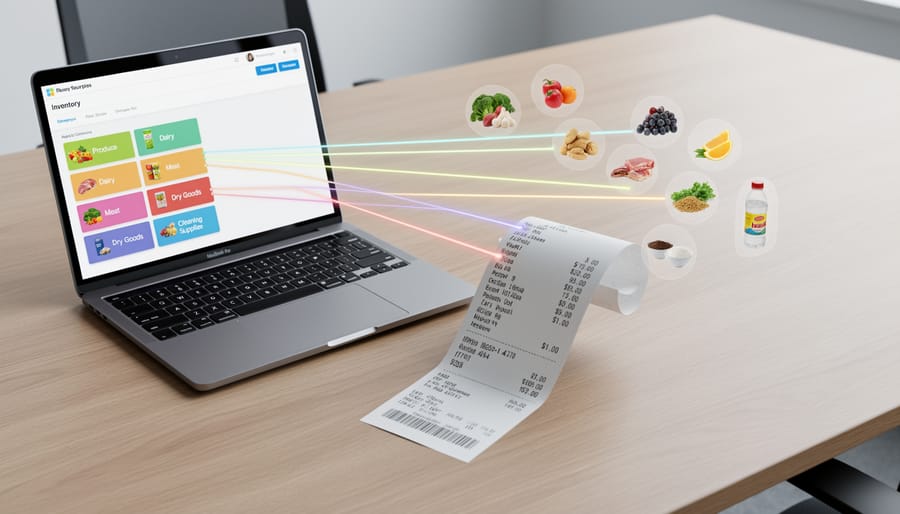
Once your receipt data is verified, the real work begins: telling your system where each item belongs. This step separates a useful inventory database from a chaotic digital shoebox.
Start with your key beer ingredients base malts, specialty grains, hops, and yeast. Create specific categories for each. Don’t lump “Cascade hops, pellet, 1 lb” and “Cascade hops, whole leaf, 8 oz” together. Track varieties and formats separately so you can see exactly what you have when planning your next brew.
For the first few receipts, you’ll assign items manually, choosing categories from your dropdown menus. Most platforms let you create assignment rules: once you’ve told the system that “Pilsner Malt – Weyermann” always goes to “Base Malts > German Pilsner,” it’ll remember. Future receipts with that exact description auto-assign, saving you repetitive work.
New ingredients require judgment calls. When a vendor’s product description is vague, “specialty malt blend”, dig into your delivery notes or contact them before assigning. Guessing now means searching through mystery categories later when you’re trying to cost a batch.
Step 4: Linking to Batch Records
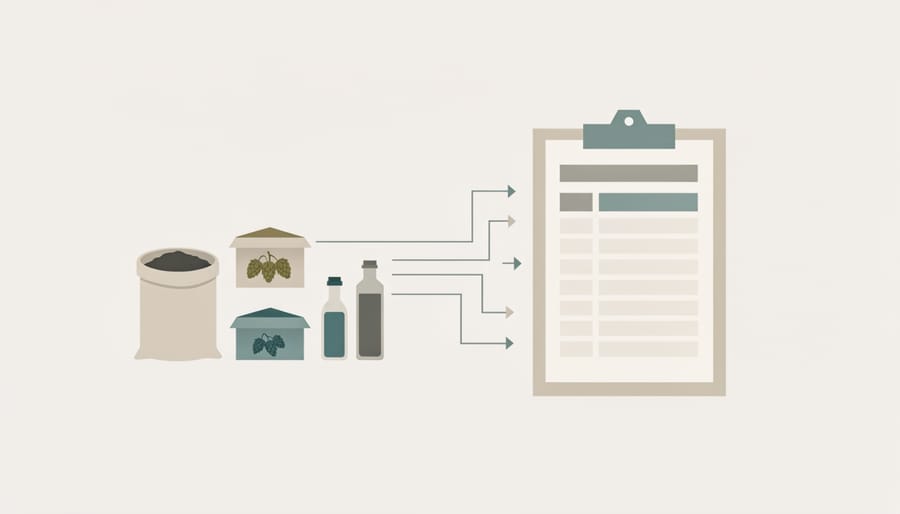
Connecting your scanned ingredient receipts to specific batches transforms raw purchase data into actionable brewing intelligence. When you receive malt, hops, or yeast, note the batch numbers you intend to use them for, either immediately or when you pull ingredients for brew day. Most brewery-focused inventory platforms let you tag items during the assignment step or create usage records later.
This linkage serves two essential purposes. First, it calculates your true cost per barrel by tracking exactly which purchases went into each beer. That $85 bag of Mosaic hops assigned to your IPA batch gives you real numbers for pricing decisions, not estimates. Second, it creates a traceability chain from supplier lot numbers through your brewing records to packaged product, critical when quality issues arise or you need to verify ingredient origins for customers asking about local sourcing.
For homebrewers scaling up or nano-breweries without dedicated software, a simple spreadsheet with columns for batch ID, ingredient name, purchase date, and receipt reference maintains this connection. The key is consistency: make batch assignment a non-negotiable part of your scanning routine, not an afterthought.
Step 5: Archiving and Backup
Once you’ve assigned and processed your receipt, it doesn’t disappear into the digital ether. The IRS requires businesses to retain purchase records for at least seven years, and your future self will thank you for keeping them organized beyond that.
Create a logical folder structure in your cloud storage: year, then month, then vendor. Name files consistently, “2026-06-27_HopDirect_Invoice4523.pdf” beats “scan_final_FINAL2.jpg” every time. Most inventory platforms archive receipts automatically, but maintain your own backup system using services like Google Drive, Dropbox, or brewery-specific solutions that encrypt financial data.
Set calendar reminders to verify your backups quarterly. A corrupted file discovered during a tax audit isn’t just stressful; it can cost you deductions and credibility with regulators who take beverage alcohol recordkeeping seriously.
Safety and Compliance Considerations
When you’re digitizing financial records and vendor relationships, you’re handling sensitive business data that deserves the same care you’d give your proprietary recipes. Cloud-based receipt scanning platforms should use end-to-end encryption for stored images and extracted data, and you should limit system access to only those staff members who genuinely need it for inventory or accounting duties.
From a compliance standpoint, the IRS requires businesses to retain receipts and supporting documents for at least three years (seven years is safer for more complex scenarios), making digital scanning actually advantageous since physical receipts fade and tear. Your scanned records need to be legible and complete, showing vendor names, dates, itemized purchases, and amounts paid. Most brewery-focused inventory platforms automatically timestamp entries and create audit trails, which helps during tax season and TTB inspections.
For breweries holding federal permits, accurate ingredient records aren’t just good business practice but a regulatory requirement. The Alcohol and Tobacco Tax and Trade Bureau expects you to track grain, hops, and other materials used in production. While receipt scanning itself doesn’t fulfill all TTB reporting obligations, it creates the underlying documentation that supports your production reports and excise tax calculations. Keep your digital archive organized by vendor and date, with backup copies stored separately from your primary system. If your accounting software integrates directly with your scanning platform, verify that the connection maintains data integrity and doesn’t create gaps that could complicate an audit.
Verification: Ensuring Your System Works
Trust but verify, that principle keeps your brewery’s books as clean as your fermentation tanks. Once you’ve scanned a few weeks of receipts, it’s time to confirm your system actually works before those small errors snowball into major inventory headaches.
Start with spot-checking about 10% of your scanned receipts each week. Pull random receipts from different vendors and compare the digital record against the physical paper. Did the quantities match? Are the prices correct? Most importantly, verify that items landed in the right categories, hops assigned as hops, not miscellaneous supplies, and Pilsen malt separated from your specialty grains.
Your key metrics to monitor include:
- Scan accuracy rate: percentage of receipts with zero transcription errors
- Assignment consistency: how often identical items from the same vendor receive the same category
- Inventory variance: difference between physical counts and system records
Month-end reconciliation deserves dedicated attention. Count your physical inventory for high-value categories like base malts and popular hop varieties, then compare against what your scanned receipts say you should have. A variance under 2-3% is reasonable given normal handling loss; anything beyond that signals assignment errors or missing receipts.
Cross-reference your system totals against vendor statements when they arrive. If your records show $1,200 in malt purchases from a supplier but their statement says $1,450, you’ve either missed receipts or misassigned items. This verification step also helps during audit season and when tracking beer excise tax relief or other tax changes to watch for ingredient cost analysis.
Run these checks consistently for three months. Once your accuracy consistently tops 95%, you can reduce spot-checking frequency while maintaining those monthly reconciliations.
Troubleshooting Common Challenges
Poor scan quality ranks as the most frustrating obstacle. If your scanning app consistently struggles with certain receipts, adjust your lighting, natural daylight near a window works better than overhead fluorescents, and ensure the entire receipt is flat and in frame. For thermal receipts that fade quickly, scan them immediately upon delivery rather than waiting until month-end processing. When OCR fails completely on a crumpled or faded receipt, manual entry beats fighting with the technology.
Duplicate entries creep in when multiple team members scan the same receipt or when you scan both the itemized receipt and the credit card slip. Establish a simple rule: only the person who receives the delivery scans it, and only the detailed itemized receipt goes into the system. Mark physical receipts with a quick “scanned” notation to prevent double-processing.
Vendor formatting inconsistencies cause headaches when your hop supplier lists “Cascade pellets” one month and “Cascade T-90” the next. Build a master item list with acceptable variations, then create assignment rules in your software so both descriptions route to the same inventory item. This one-time setup effort saves countless hours of manual corrections.
What if a receipt includes both brewing ingredients and non-inventory items like utilities?
Split the assignment during review, categorize the malt and hops as inventory while marking the delivery fee or other charges as operating expenses. Most brewery-focused platforms handle mixed receipts easily.
How do I handle receipts from farmers market grain purchases without barcodes?
Create custom items in your system for local suppliers, using their farm name and grain type as the identifier. These artisan ingredients deserve their own tracking for both costing and storytelling.
Should I scan receipts for items I’m returning or exchanging?
Yes, scan them and note the return in your system to maintain a complete audit trail. When the credit appears, link it to the original purchase for accurate reconciliation.
Items that don’t fit standard categories, like that specialty foeder oak or the custom-fabricated tank part, need a miscellaneous section with detailed notes. Don’t force unusual purchases into wrong categories just for tidiness. Your future self reviewing batch costs will appreciate the specificity when that experimental barrel-aged project needs accurate costing six months down the line.
Receipt scanning isn’t just about digitizing paper, it’s about building a knowledge base that powers smarter decisions across your entire operation. When you know exactly what each batch costs, down to the last hop pellet and specialty grain, you can price with confidence, negotiate better terms with suppliers, and identify which recipes deliver the best margins without sacrificing quality.
Starting small makes sense. Scan receipts from your top three vendors this month. Get comfortable assigning items to the right categories. Next month, add two more vendors. Within a few brewing cycles, you’ll have a system that feels natural, not burdensome. The data you’re capturing today becomes the insight that guides tomorrow’s growth.
There’s a bigger picture here, too. Accurate inventory tracking supports the transparency that craft beer drinkers increasingly expect. When you can trace ingredients batch-to-batch, you’re documenting your commitment to quality and sustainability. That craft brewery survival often depends on demonstrating your values through verifiable practices, not just marketing claims.
Your receipts tell the story of your brewery. Make sure you’re capturing it correctly.